
2027 Local SEO and Local Advertising for Leads
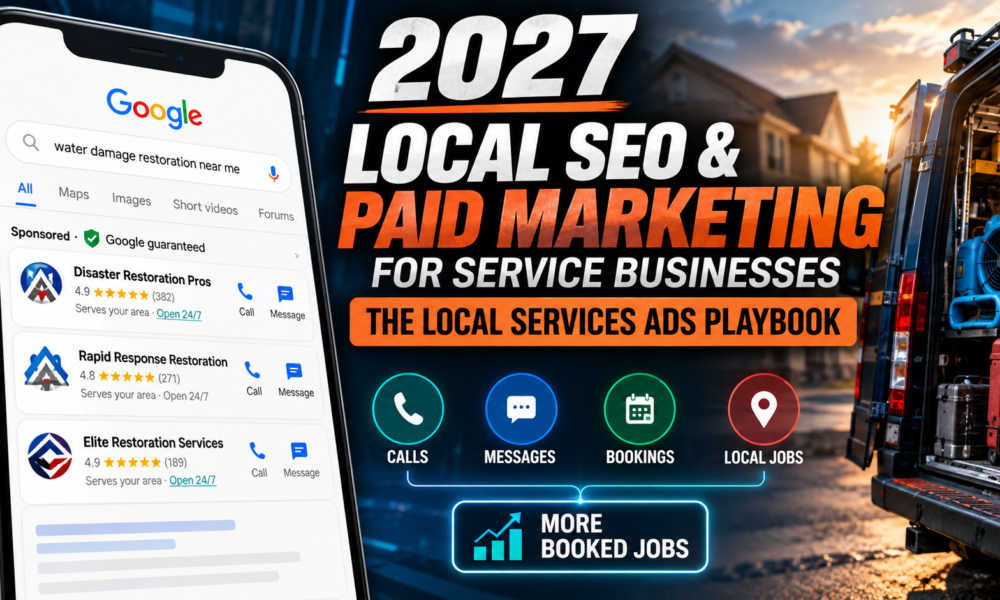
2027 Local SEO and Paid Marketing and Google Search for Service Businesses: The Local Services Ads Playbook
Key takeaways
- Google is moving Local Services Ads (LSA) into Google Ads as a pay-per-lead version of Performance Max. Placement, keywordless targeting and pay-per-lead billing remain. The dashboard, manual bidding and historical reports do not.
- Since October 1, 2026, you can bill an unanswered call during business hours as a lead if the caller stays on the line over 20 seconds. Phone coverage is now a direct cost lever.
- Bad-lead credits are automatic, and you don’t get credited for leads from job types or areas you don’t serve. Your account settings are your main defense, and call recordings help you audit them.
- Your Google Business Profile (GBP) feeds your LSA campaign. Inaccuracies or risky edits to it can pause your ads.
- Judge the channel on cost per booked job, not cost per lead.
1. Where local paid search stands going into 2027
For trades, Local Services Ads appear above other results on Google Search and Maps and charge per lead rather than per click. Advertisers do not pick keywords. They select service categories and a service area, and Google matches searches to them (PPC Land).
The product is being rebuilt beneath that familiar experience. Google’s migration notice says existing LSA campaigns will move automatically into a specialized Performance Max campaign type built for pay-per-lead goals. Where and how ads appear on Search and Maps is not changing (Google Ads Help).
The rollout, per Google:
- August 2026: phase one for select U.S. home and storefront advertisers, including plumbing, HVAC, electrical, appliance repair, house cleaning, lawn care, roofing, pest control and moving.
- Late 2026: service-area businesses without storefronts, and accounts with custom bidding or booking setups.
- 2027: non-U.S. accounts and any categories not migrated earlier.
The phase-one list does not include restoration. If you run restoration campaigns, watch the account administrator’s inbox. Google emails 14 days before your migration date and again 7 days later. Eligibility by category and location varies, so confirm what your account shows.
What changes for you on migration day:
- Management moves into Google Ads. Budgets, targeting, photos, callouts, the lead inbox and call recordings are all there. Past leads, message history and older call recordings carry over. Performance reports do not, so export them first.
- Bidding is simplified. Manual bidding (including maximum cost per lead) and vertical-level target CPA are deprecated. If you want different CPA targets for different trades, Google suggests separate campaigns for each.
- Weekly budgets become daily. Your average weekly budget is divided by 7, and monthly spend is capped at daily budget times 30.4.
- Business name, address and hours sync one way from your GBP and can’t be edited in Google Ads.
- BBB callouts are gone. Google recommends at least six other structured callouts, such as hours, specialties or payment methods.
- Expect a ramp. Google says performance can take up to two weeks to stabilize after migration.
According to Google’s page, you can’t yet create brand-new pay-per-lead campaigns inside Google Ads. New campaigns and extra local accounts still start at g.co/localservices, with creation coming later.
2. The pay-per-lead model: how it works and what just changed
You pay for valid leads, such as phone calls, messages and bookings, not for clicks. Google routes each contact through a tracked number or its own messaging and booking tools and charges when the contact counts as a valid lead (PPC Land).
How ranking works. Google’s ranking page describes three groups of signals: your bid (which acts as a ceiling), how likely your ad is to produce a lead (responsiveness, search context, relevance, and whether messaging or booking is enabled), and profile quality (rating, review count, average response time, images and completed verification checks). Google also says higher-quality profiles may pay lower costs per lead (as summarized by PPC Land). In practice, profile quality acts like a discount.
Pricing. Google publishes no lead prices, and costs vary widely by trade and market. Third-party price ranges are inconsistent and mostly come from vendors, so use your own account’s cost per lead and, more importantly, cost per booked job.
The October 1, 2026 missed-call rule. Google’s notice to advertisers says it charges missed calls during business hours as valid leads when the caller stays on the line over 20 seconds. Reporting on the notice adds several details (PPC Land):
- Follow-up calls from the same person after a non-qualifying call can also be charged. Google’s Ads Liaison account said advertisers are charged only once for follow-up calls to the same person within 15 days.
- If your phone system requires callers to press a key before routing, the 20-second timer starts only after the key press.
- Google promised new safeguards against robocalls and spam but, as of late September, had not described how they work. It also had not explained how voicemail is treated, when the 20-second clock starts, or how disputes over these calls work.
Two implications. First, cost-per-lead numbers before and after October 1 describe different things, so don’t compare across that date without noting it. Second, answering more calls does not lower your Google bill, since an answered call is also a valid lead. The case for picking up is booked jobs, not savings.
On answer rates, Invoca’s July 2026 benchmarks, as reported by PPC Land, found people answer 52% of inbound home-services calls, and only 34% in HVAC (PPC Land). Most companies have room to improve.
3. Optimizing your Local Services Ads
Without keywords or ad copy, the levers are verification, reviews, call handling, budget and setup accuracy.
Respond fast, every time. Responsiveness feeds both ranking and lead likelihood. Staff the phone during your listed business hours, route calls to a live person, return missed calls quickly, and reply promptly to message leads. If you use a key-press menu, remember the trade-off: it starts the 20-second clock later but can make some real customers hang up.
Keep the profile quality signals strong.
- Reviews: Review management moved to Google Business Profile in July 2025 (PPC Land). Build a steady habit of requesting reviews after completed jobs and respond to them in the GBP.
- Photos: You can upload up to 100 additional photos in Google Ads. Use real job photos, not stock images. Since August 2024, Google also chooses photos from advertiser profiles automatically.
- Verification: Complete every check Google asks for. Google says the Google Verified badge transferred automatically in migration for already-verified businesses, and that insurance and license reverification are no longer required at migration.
- Messaging: Messaging and booking being enabled is one of the lead-likelihood factors Google lists.
Tighten targeting, since that is your keyword control. Select only the service categories you perform and only the areas you serve. Since July 2024, leads tagged “job type not serviced” or “geo not serviced” stopped qualifying for credit (PPC Land). A loose setup now costs you money directly. Restoration companies should review categories carefully: don’t select adjacent services you won’t perform.
Set budgets and bids for the new model. After migration, review your daily average budget and bidding target in Settings. Because per-vertical CPA targets are going away, multi-trade companies (for example, a contractor doing HVAC and electrical) should consider separate campaigns per vertical. Weigh the budget against how many booked jobs you can handle, since extra leads you can’t answer are now more expensive.
Don’t judge by cost per lead alone. Track leads, booked jobs, revenue per job and cost per booked job by campaign. The Leads page lets you download leads to import into your CRM.
4. Listen to your calls: a weekly accuracy audit
In Google Ads, your lead inbox and call recordings live under Goals, then Conversions, then Leads. The page shows charged status, lead type and a lead feedback form, and lets you download leads for your CRM (Google Ads Help).
Why listening matters now. Google replaced manual disputes with automated review in July 2024. Its models evaluate every lead and automatically credit invalid ones. Google’s Ads Liaison described this as evaluating every lead against equitable standards (PPC Land). Automation misses things, and wrong-service and wrong-area leads are no longer credited. Recordings show whether your setup attracts wrong calls and whether your team handles the right ones well. Some verticals are excluded from automatic credits, and Google removed features such as call recording for tax specialists, so check what your account offers.
A simple weekly process:
- Listen to every charged lead from the past week or a sample if volume is high. Prioritize short calls, calls with no booking and calls from new areas.
- Tag each one in your CRM or a sheet using a fixed set of dispositions.
- Submit feedback in Google Ads for leads where the call was invalid.
- Review the tags monthly and change targeting, categories, service areas or hours based on patterns.
- Score your own team: greeting, how the call was answered, whether the job was qualified and booked, and whether a missed call was returned.
| Disposition | What to look for | Action |
|---|---|---|
| Booked | Job scheduled | Record revenue to compute cost per booked job |
| Valid, not booked | Right service and area, no booking | Coaching, pricing or callback follow-up |
| Wrong service | Asking for work you don’t do | Review service categories |
| Out of area | Caller outside your territory | Review service area |
| Spam or solicitation | Robocall, vendor pitch | Leave feedback, log it |
| Missed, caller waited | Unanswered in business hours | Fix coverage, call back |
If you also record your own calls, check your state’s call-recording consent rules first. This isn’t legal advice.
5. Make your Google Business Profile trustworthy
LSA requires a verified, public Google Business Profile (Google Local Services Help). Your business name, address and hours sync one way from the GBP to Google Ads. Google runs a daily sync, and hours, phone and minor name changes update within 24 hours. A significant change to your business name, storefront address or primary category triggers a review, during which your campaign may pause for about 24 to 48 hours (Google Ads Help). Billing runs through Google Ads, so suspending your Google Ads account also suspends your LSA (Google Local Services Help).
A reminder: links can break. On September 1, 2026, some LSA accounts detached from their Business Profiles without any action by the account holder. Google’s Ads Liaison confirmed a bug unrelated to the migration (PPC Land). Check your linkage monthly.
What Google’s guidelines require. These come from Google’s guidelines for representing your business:
- Name: Use your real-world name as it appears on signage, website and stationery. No taglines, service or product information, location information, phone numbers or URLs, all-caps words, or unnecessary legal terms like LLC unless real-world proof shows them as part of the name. Violations can lead to suspension.
- Address: Use a precise, real address. P.O. boxes and mailboxes at remote locations don’t qualify. Virtual offices are ineligible. Co-working offices qualify only with signage, customer reception during hours and your own staff.
- Service-area businesses: Keep one profile with a designated service area and hide your address if you operate from home. You can create separate profiles for locations with separate staff and service areas. Google says the service area shouldn’t extend more than about two hours’ driving from where you’re based.
- Phone and website: Use a local number you control directly, not a call center or a number that redirects customers elsewhere. Premium numbers are not allowed.
- Categories: Use as few as possible to describe your core business and choose specific ones. Don’t use categories as keywords.
- Description: No links and no promotions or prices.
- One profile per business or location: Duplicates can cause problems.
- Hours: Use real customer-facing hours and keep them accurate. This matters more now that missed calls during business hours can be charged.
- Multi-location brands and franchises: Locations must use consistent names and categories. Rebranding is allowed for minor name changes where the core name and services stay the same. A bigger change counts as a new business.
Reviews and trust badges. Google merged its older badges into one Google Verified badge in October 2025. Google ended its Money Back Guarantee and says the badge doesn’t affect ranking (PPC Land). Trust now comes mostly from your rating, review count, review responses and complete profile, not from the guarantee.
6. A checklist for the next 90 days
- Export your history. Download LSA performance reports before migration, because they don’t carry over.
- Confirm migration timing. Make sure the account administrator email is monitored and on the right address.
- Audit your GBP against the guidelines above: name, address or hidden address, hours, categories, phone, duplicates.
- Fix phone coverage. Check call logs for business-hours misses, set up routing and callback, and decide on the key-press question.
- Start the weekly call audit and track cost per booked job.
- Tighten categories and service areas.
- Review budget and bid targets after migration. Consider separate campaigns for separate trades.
- Add callouts and photos. At least 6 callouts; real job photos.
- Keep a steady review process and respond to reviews.
- Annotate your reporting with October 1, 2026 and your migration date.
7. What’s still unsettled
- How voicemail, the start of the 20-second clock, spam safeguards and disputes for missed-call leads will work.
- Whether restoration categories migrate in late 2026 or 2027.
- When you can create new pay-per-lead campaigns directly in Google Ads.
- Some agency pages still describe a manual dispute button. Google’s shift to automated credits dates to July 2024, so check your own Leads page for what is available.
This article reflects Google documentation and trade reporting available on October 23, 2026. Google changes LSA rules often, so verify details in your own account.
Sources
- Local Services Ads transition to Performance Max campaigns with pay-per-lead goals — Google Ads Help.
- Guidelines for representing your business on Google — Google Business Profile Help
- Explaining Local Services Ads — PPC Land
- Google LSA advertisers face missed-call charges from October 1 — PPC Land.
- About Google Business Affiliation — Google Local Services Help
- How Local Services Ads work (billing and leads) — Google Local Services Help
Turn More Local Search Leads into Revenue
Generating qualified leads is only the beginning. Turning those opportunities into booked jobs and profitable restoration projects requires a strategy that combines local search visibility, effective advertising, and consistent lead conversion.
WhatBox Marketing helps restoration companies strengthen their online presence, attract high-intent customers, and maximize their marketing investment. From local SEO to paid advertising, our strategies are designed to help your business compete in the markets that matter most.
Ready to grow your restoration business?
Contact WhatBox Marketing to discuss your marketing goals and opportunities.
- Call: 613-788-0232
- Contact: WhatBox Marketing Contact Page
Presented by National Disaster Recovery and WhatBox Marketing.
National Disaster Recovery connects property owners with trusted emergency restoration providers. WhatBox Marketing helps restoration and home-service businesses improve search visibility, generate qualified leads, and achieve a stronger return on their marketing investment.






Facebook
RSS